


A programmable MQTT Broker that is light enough for the edge.

Coreflux MQTT Broker bridges IT and OT: native Connectors read PLCs, and your logic shapes the data before it reaches your databases and IT systems.

Drag it, or use the arrow keys, to move it.
Live LoT6 Connectors · 1 Model · 1 Action
DEFINE CONNECTOR PressPLC WITH TYPE SIEMENS_S7
ADD S7_CONFIG
WITH IP "192.168.10.20"
WITH CPU_TYPE "S71500"
WITH RACK 0
WITH SLOT 1
ADD MAPPING Press
WITH EVERY 500 MILLISECONDS
ADD TAG Temperature
WITH ADDRESS "DB1.DBD100"
WITH DATA_TYPE "REAL"
WITH SOURCE_TOPIC "plant/press/temperature"
ADD TAG Pressure
WITH ADDRESS "DB1.DBD104"
WITH DATA_TYPE "REAL"
WITH SOURCE_TOPIC "plant/press/pressure"
DEFINE CONNECTOR PressVibration WITH TYPE MODBUS_SERIAL
ADD MODBUS_CONFIG
WITH CONNECTION_TYPE "SERIAL"
WITH COM_PORT "COM1"
WITH BAUD_RATE 9600
WITH SLAVE_ID 1
ADD MAPPING Vibration
WITH EVERY 1 SECOND
ADD TAG Velocity
WITH ADDRESS "0"
WITH ADDRESS_TYPE "INPUT_REGISTER"
WITH DATA_TYPE "FLOAT"
WITH SOURCE_TOPIC "plant/press/vibration"
DEFINE CONNECTOR Scada WITH TYPE OPCUA
ADD OPCUA_CONFIG
WITH ENDPOINT_URL GET ENV "SCADA_ENDPOINT"
WITH AUTH_MODE 0
ADD MAPPING LineState
WITH EVERY 1 SECOND
ADD TAG Running
WITH ADDRESS "ns=2;s=Line1.Press.Running"
WITH DATA_TYPE "BOOLEAN"
WITH SOURCE_TOPIC "plant/press/running"
DEFINE MODEL PressHealth WITH TOPIC "plant/press/health"
ADD DOUBLE "temperature" WITH TOPIC "plant/press/temperature" AS TRIGGER
ADD DOUBLE "pressure" WITH TOPIC "plant/press/pressure"
ADD DOUBLE "vibration" WITH TOPIC "plant/press/vibration"
ADD STRING "timestamp" WITH TIMESTAMP "UTC"
DEFINE ACTION PressOverheat
ON TOPIC "plant/press/temperature" DO
SET "temp" WITH PAYLOAD AS DOUBLE
IF {temp} > 85 THEN
PUBLISH TOPIC "plant/alerts/press" WITH "Press over temperature: " + {temp}
DEFINE CONNECTOR Erp WITH TYPE REST_API
ADD REST_API_CONFIG
WITH ENABLE_CLIENT "true"
WITH BASE_ADDRESS GET ENV "ERP_URL"
WITH USE_SSL "true"
ADD EVENT ReportOutput
WITH SOURCE_TOPIC "plant/press/health"
WITH DESTINATION_TOPIC "plant/erp/ack"
WITH METHOD "POST"
WITH ENDPOINT "/api/production"
DEFINE CONNECTOR Warehouse WITH TYPE SNOWFLAKE
ADD SNOWFLAKE_CONFIG
WITH CONNECTION_STRING GET SECRET "SNOWFLAKE_CONNECTION"
WITH WAREHOUSE "PLANT_WH"
WITH DATABASE "PLANT"
WITH SCHEMA "PRESS"
ADD EVENT StoreHealth
WITH SOURCE_TOPIC "plant/press/health"
WITH QUERY "INSERT INTO HEALTH (TS, DATA) VALUES (CURRENT_TIMESTAMP(), PARSE_JSON('{value.json}'))"
DEFINE CONNECTOR Stream WITH TYPE KAFKA
ADD KAFKA_CONFIG
WITH BROKER_ADDRESS GET ENV "KAFKA_BOOTSTRAP"
WITH GROUP_ID "plant-edge"
WITH SECURITY_PROTOCOL "PLAINTEXT"
ADD EVENT PressHealth
WITH SOURCE_TOPIC "plant/press/health"
WITH DESTINATION_TOPIC "plant.press.health"
WITH DIRECTION "out"

One MQTT Broker, every topology.

Bridges join brokers. Clusters make one broker bigger. Big sites do both.

  • Ideal for:
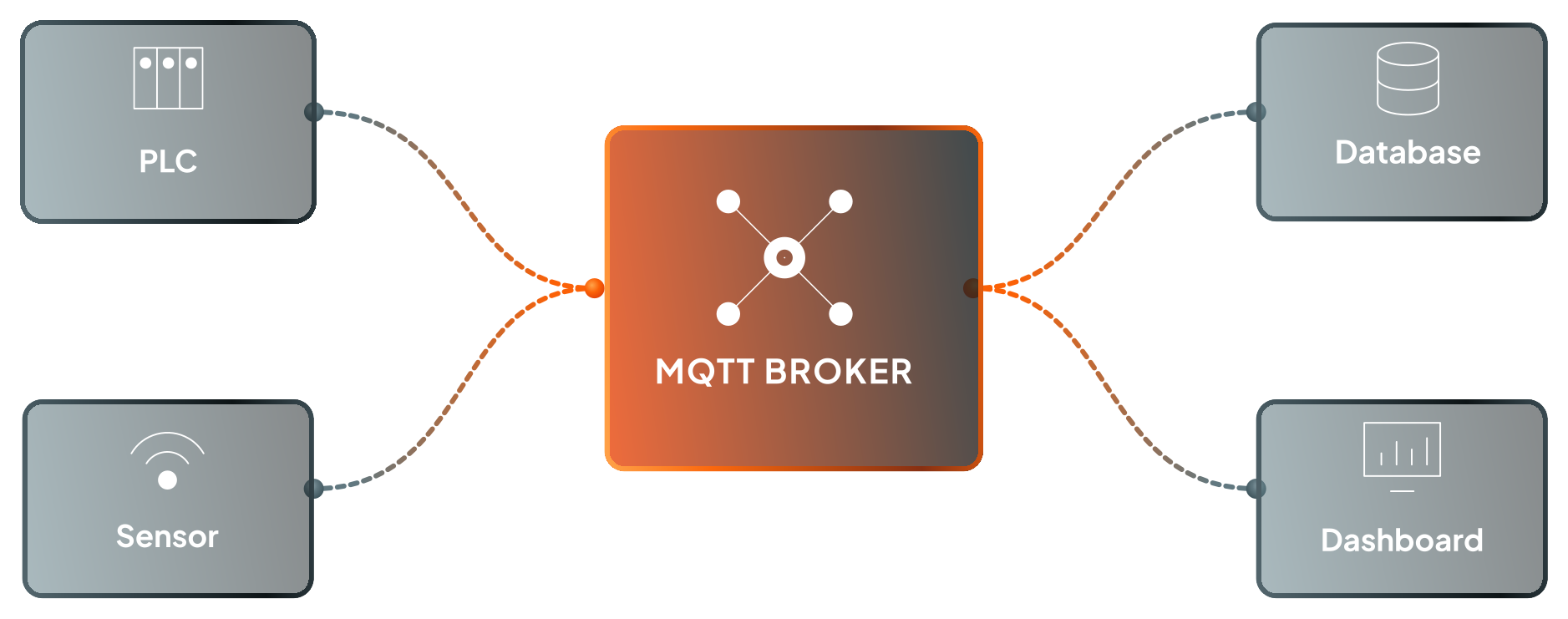
    Testing on one line, one machine cell or one station.

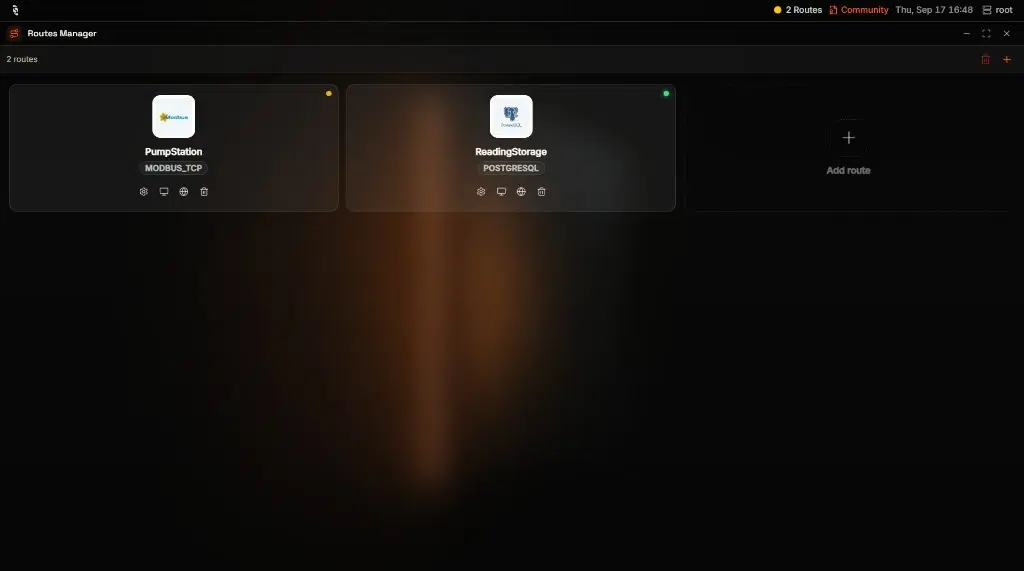
    Connectors read the machines, Actions react, Models store readings in a database and a Dashboard shows them. All of it runs on one machine, even a small edge device.

    Available in every Coreflux plan.

    One broker

    The whole pipeline in one process.

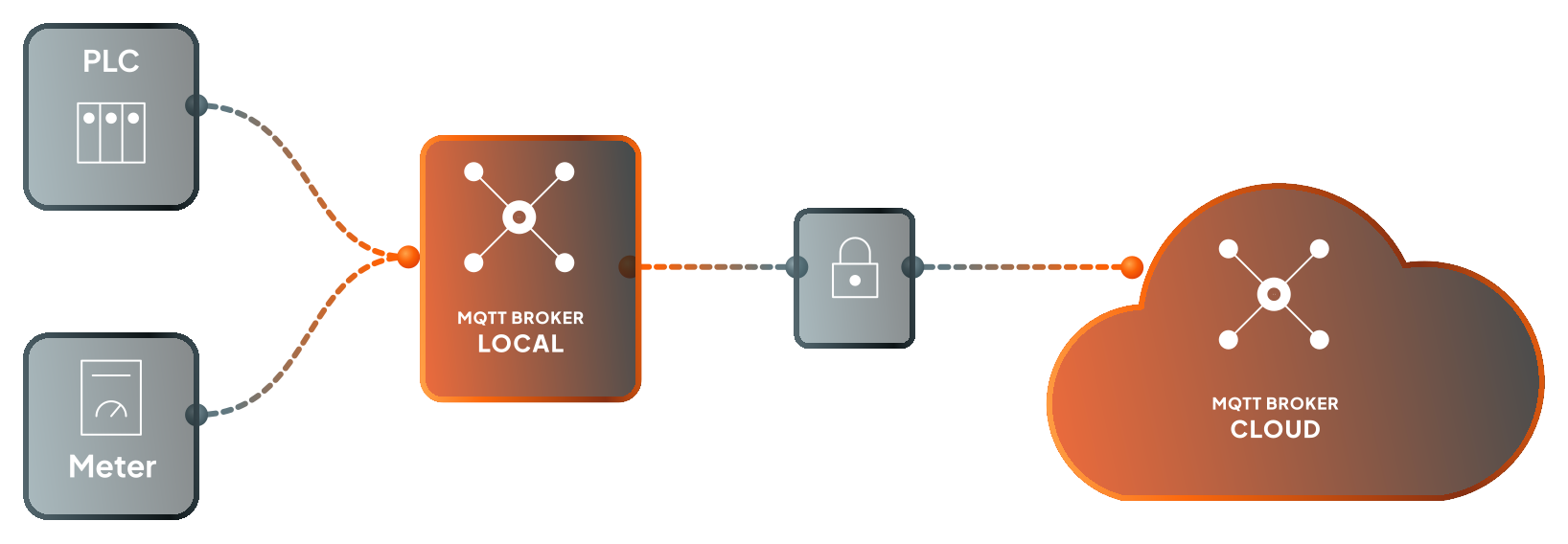
  • The site broker keeps acquisition and control local. A bridge forwards chosen topics to a cloud broker over one outbound TLS connection, so no inbound port opens on the plant network. If the link drops, the site keeps running.

    Ideal for:
    Corporate wants dashboards and IT wants the firewall shut. Both get their way.

    Available in the Coreflux Growth plan and up.

    Dual broker

    Control stays on site. Data goes up.

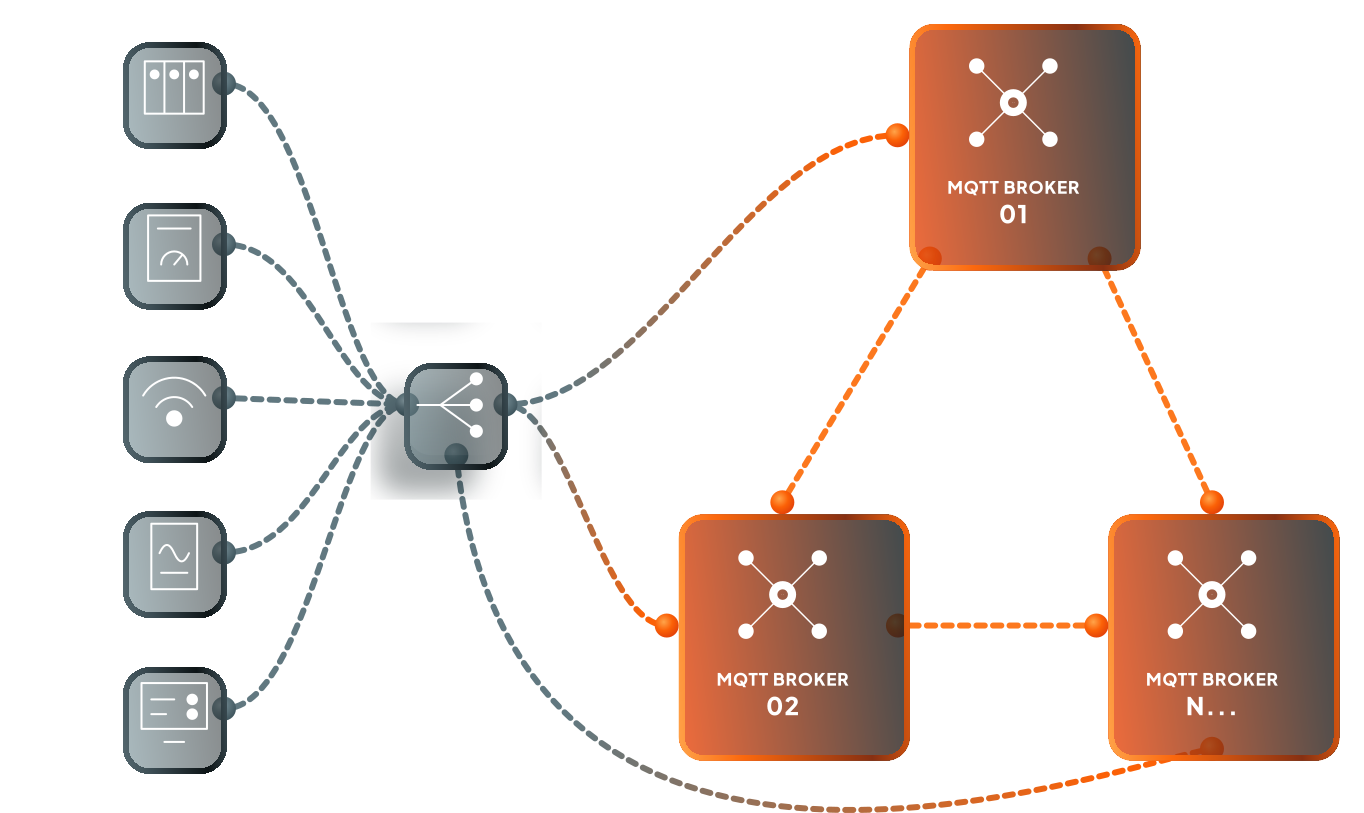
  • Each line or site runs its own broker and forwards only clean, named topics to a site or enterprise broker. There, Models build one namespace from machine tags up to KPIs, and Rules decide who sees what. A cut WAN link slows reporting, never the plant.

    Ideal for:
    You run many lines or many sites, or a plant network you don't trust.

    Available in the Coreflux Growth plan and up.

    Multiple brokers

    Every line and every site in one namespace.

  • The nodes share the load. When the leader fails, the others elect a new one, typically in a fraction of a second. QoS 1 and 2 publishes are copied across nodes, so losing a minority of the cluster can't erase a message, and clients of a failed node reconnect to a healthy one.

    Ideal for:
    The broker can't go down, or you have tens of thousands of clients.

    Available in the Coreflux Enterprise plan.

    Cluster

    Three or five brokers acting as one.

  • One broker

    Start on one machine

    The whole pipeline runs in a single process, even on a small edge device.

Insert logic on every message and keep the speed.

  1. Any MQTT client connects

    Fully MQTT 3.1.1 and 5.0 compliant.

    QoS 0, 1 and 2, retained messages, persistent sessions and last will, over TCP, TLS and WebSockets.

    Turn on durability, and retained messages, sessions and queued messages survive a restart.

    MQTT in the docs: Any MQTT client connects
  2. Security you can read

    TLS on every plan.

    Rules set who may connect, publish and subscribe on each topic, in plain text you review and version like code. Enterprise adds mTLS and role-based access control.

    Bridges dial out, so no inbound port opens on the plant network, and passwords stay in secrets (opens in a new tab), out of your code.

    Rules in the docs: Security you can read
  3. Lightning-fast reaction

    At 100,000 topics, LoT runs as fast as on a nearly empty broker.

    Measured by Coreflux on one Broker500,098messages a second1,000subscribers100% delivery*
    With an Action on every incoming message19,990triggers a secondmedian3.18 ms**

The same Broker on your metal, our cloud or yours.

Free · online

Test your connection on a live public MQTT broker.

Broker
iot.coreflux.cloud
MQTT TLS
8883
WS TLS
443
Status
Available
MQTT
1883
WS
5000

Every message sent to the public broker is visible to all connected clients, so keep production data off it.

The MQTT Broker thinks now

  1. MQTT
  2. Rules
  3. Actions
  4. Models
  5. Connectors
  • Actions and Models run inside the Broker, on every message as it arrives.A raw reading is scaled, checked against its limit and raised as an alarm (opens in a new tab) in one place, with no separate service to subscribe, process and publish it back.

  • LoT is close to plain English, so the engineer who writes it, the operator who asked for it and the auditor who signs it off all work from the same file.An AI can write it too (opens in a new tab), in the syntax you review.

  • Native Connectors read S7, EtherNet/IP, Modbus, OPC UA and BACnet straight into the Broker, and write to your databases, Kafka and REST APIs on the way out.The protocol gateway, the flow tool and the sync scripts in between have nothing left to do.

  • A Model (opens in a new tab) is a few lines of LoT (opens in a new tab). Keep it in Git, ship it with the CI/CD you already run, and the same kind of machine publishes the same topics at every site.Site against site, the numbers line up without anyone mapping them by hand.

Put your Broker to work today.

Try it in our cloud or on your own hardware, with every Growth feature for 30 days.