Tutorial

Coreflux + MongoDB Quick Start Guide (15 Minutes)

15 min read

Time to Complete: 15 minutes | Difficulty: Beginner friendly

This guide will get you up and running with Coreflux MQTT Broker and MongoDB in under 15 minutes using Docker.

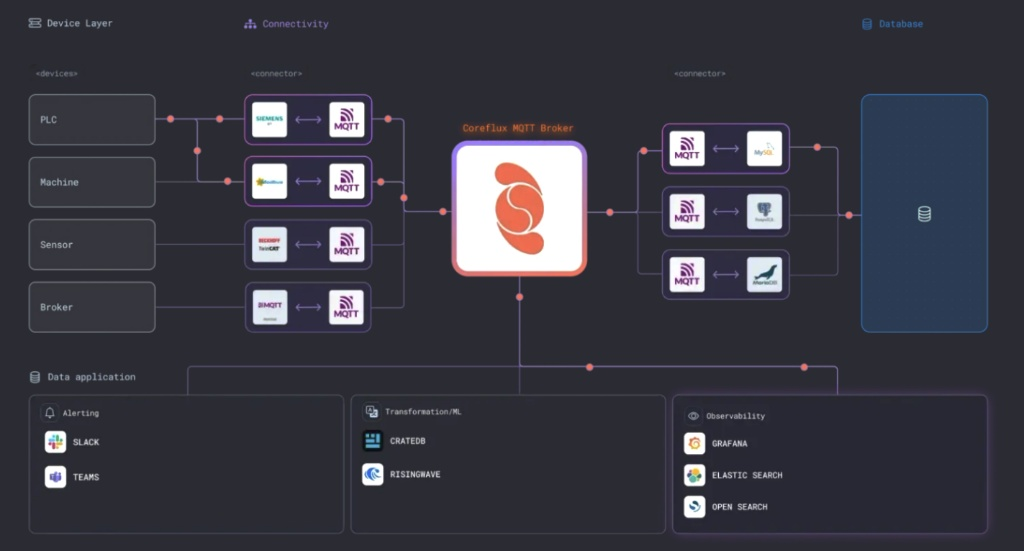
Coreflux as a System

Quick Overview

  1. Start MongoDB and Coreflux (2 min)
  2. Connect LoT Notebook (3 min)
  3. Create Data Simulator (2 min)
  4. Create Data Pipeline (5 min)
  5. Verify (3 min)

https://youtu.be/h554ybSD_oc

Prerequisites

Before you start, make sure you have:

  • Docker installed on your system
  • Visual Studio Code with LoT Notebook extension
  • Basic understanding of MQTT and IoT concepts

Need Help? Throughout this tutorial, you can get instant assistance at docs.coreflux.org using the Ask AI feature. Simply describe what you are trying to do, and get personalized guidance on LoT syntax, troubleshooting, and best practices.

Step 1: Start MongoDB and Coreflux MQTT Broker

Create a file called docker-compose.yml and paste the following:

services:
  mongodb:
    image: mongo:latest
    container_name: mongodb
    ports:
      - "27017:27017"
    environment:
      MONGO_INITDB_ROOT_USERNAME: admin
      MONGO_INITDB_ROOT_PASSWORD: coreflux_password
      MONGO_INITDB_DATABASE: iot_data
    volumes:
      - mongodb_data:/data/db
    networks:
      - iot_network

  coreflux:
    image: coreflux/coreflux-mqtt-broker:latest
    container_name: coreflux
    ports:
      - "1883:1883"
      - "1884:1884"
      - "5000:5000"
      - "443:443"
    depends_on:
      - mongodb
    networks:
      - iot_network

volumes:
  mongodb_data:

networks:
  iot_network:
    driver: bridge

Start with:

docker-compose up -d

Stop with:

docker-compose down

Step 2: Connect with LoT Notebook

  1. Open VS Code with LoT Notebook extension
  2. Connect to the broker with these settings:
    • Host: localhost
    • Port: 1883
    • User: root
    • Password: coreflux
  3. Create a new file with the .lotnb extension

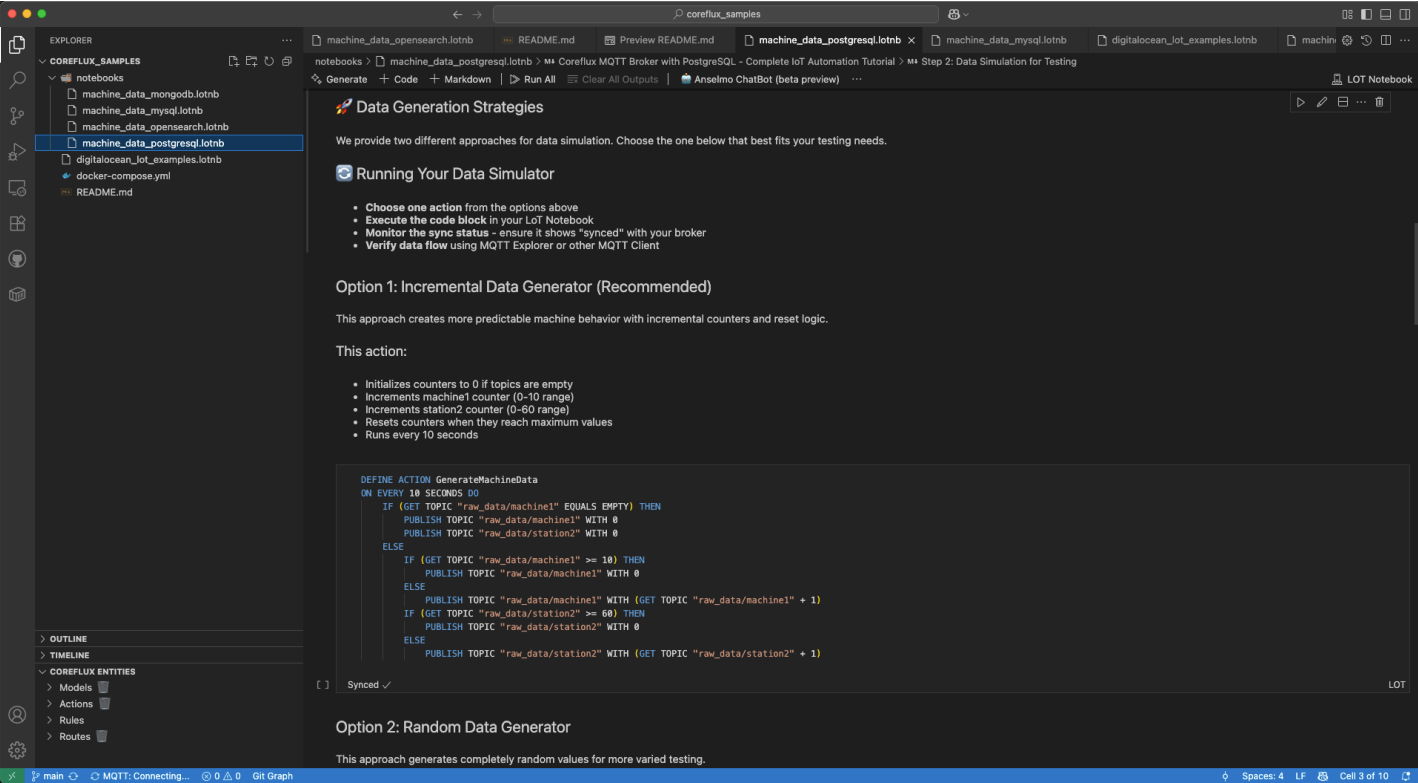
LoT Notebook Connection Status

Tip: You can set the credentials and see connection status in the bottom left bar of VS Code.

Step 3: Create a Simple Data Pipeline

Not familiar with LoT syntax? Visit docs.coreflux.org and use the Ask AI feature for instant explanations and examples.

Create an Action to Generate Data

DEFINE ACTION GenerateData
ON EVERY 10 SECONDS DO
    PUBLISH TOPIC "sensors/temp" WITH RANDOM BETWEEN 20 AND 30

Create a Model to Standardize and Transform Data

DEFINE MODEL SensorData WITH TOPIC "processed/sensor/data"
    ADD "temperature" WITH TOPIC "sensors/temp" AS TRIGGER
    ADD "temp_fahrenheit" WITH (temperature * 9/5 + 32)
    ADD "timestamp" WITH TIMESTAMP "UTC"

Create MongoDB Route

DEFINE ROUTE mongo_route WITH TYPE MONGODB
    ADD MONGODB_CONFIG
        WITH CONNECTION_STRING "mongodb://admin:coreflux_password@mongodb:27017/iot_data?authSource=admin"
        WITH DATABASE "iot_data"

Update Model to Store Data

Add this to the end of your Model:

STORE IN "mongo_route"
    WITH TABLE "MachineProductionData"

Complete Model with storage:

DEFINE MODEL SensorData WITH TOPIC "processed/sensor/data"
    ADD "temperature" WITH TOPIC "sensors/temp" AS TRIGGER
    ADD "temp_fahrenheit" WITH (temperature * 9/5 + 32)
    ADD "timestamp" WITH TIMESTAMP "UTC"
    STORE IN "mongo_route"
        WITH TABLE "MachineProductionData"

Step 4: Verify Everything Works

Check MQTT Messages

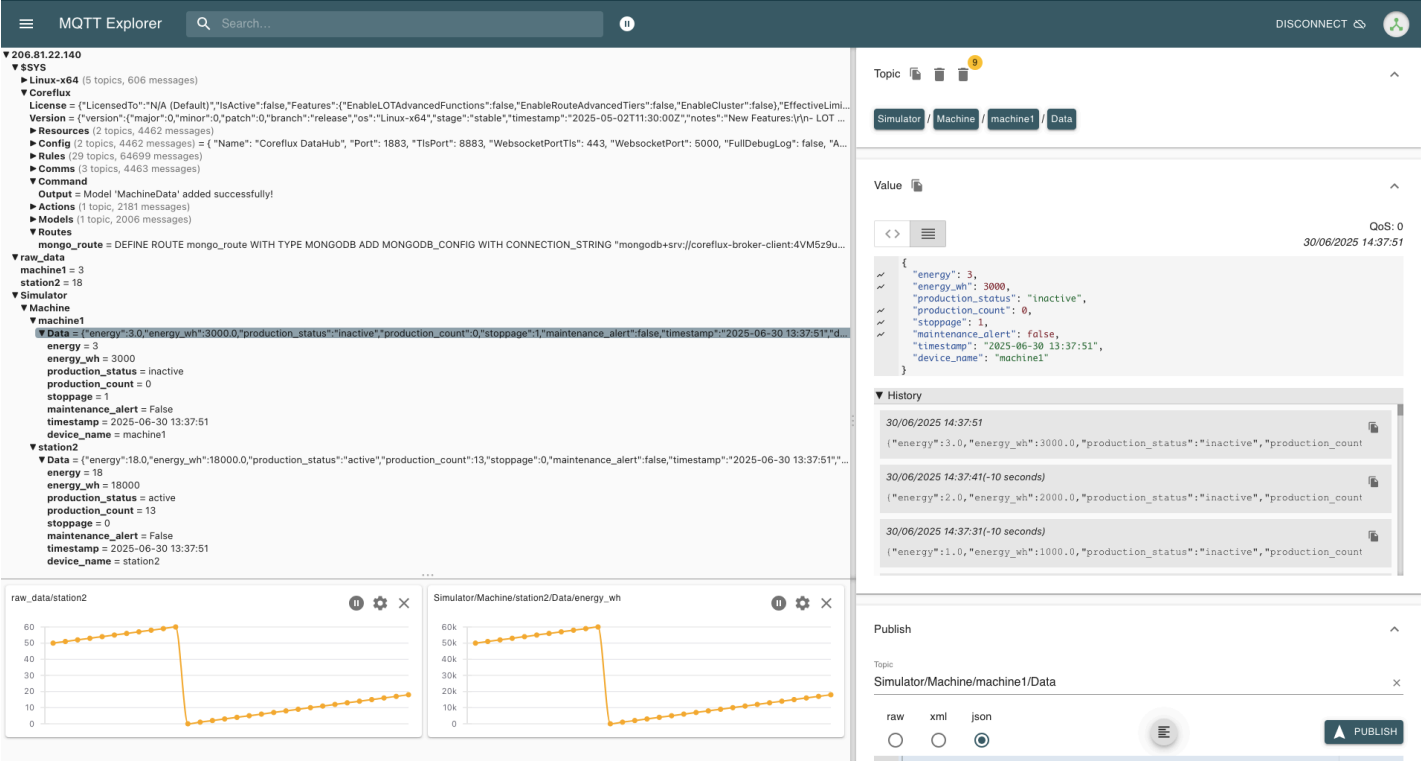
Use MQTT Explorer to connect and see live data on topics:

  • sensors/temp (raw data)
  • processed/sensor/data (transformed data)

MQTT Explorer Screenshot

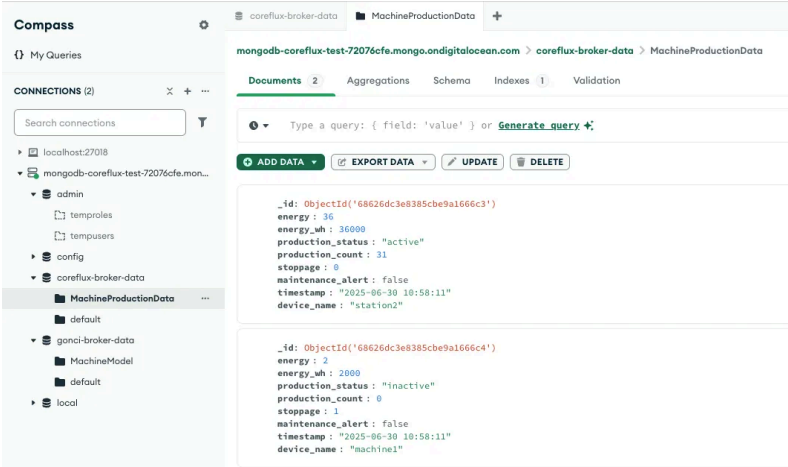
Check MongoDB Storage

Connect with MongoDB Compass using:

mongodb://admin:coreflux_password@localhost:27017

Verify data in the MachineProductionData collection.

MongoDB Compass Screenshot

Quick Troubleshooting

Cannot connect to MQTT broker?

  • Check if container is running: docker ps
  • Check logs: docker logs coreflux

Cannot connect to MongoDB?

  • Check if container is running: docker ps
  • Check logs: docker logs mongodb
  • Verify credentials match

Data not showing in MongoDB?

  • Verify Route is deployed in LoT Notebook
  • Check Model has STORE IN clause
  • Check MongoDB connection string uses correct hostname

Next Steps

Now that you have a working pipeline, you can:

  • Connect real IoT devices to your MQTT broker using MQTT or Routes to bridge existing systems
  • Create more complex data transformation models
  • Set up Grafana for data visualization
  • Explore other database integrations like PostgreSQL, MySQL, and OpenSearch

Resources

Recent Posts